What you get
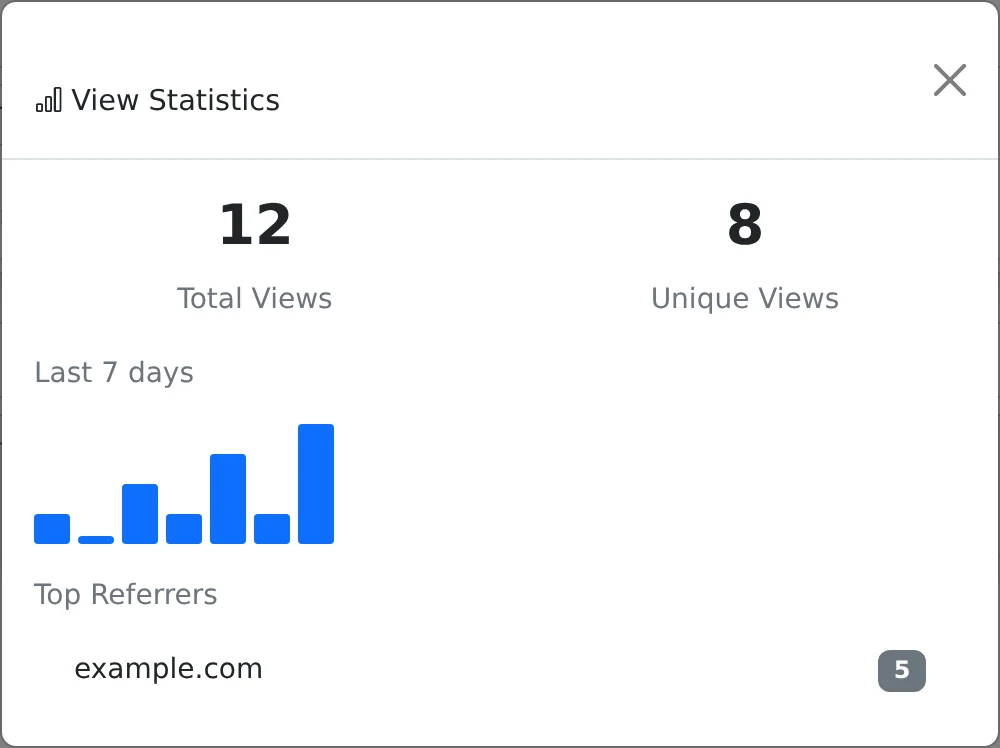
You get a compact activity report that helps you understand whether a share is being used.
How to use it
- Open My pastes and find the item you want to inspect.
- Select its statistics button to open the view report.
- Compare total views with unique views and inspect the seven-day activity chart.
- Review the top referring pages when referral information is available.
Read the numbers in context
Total views count recorded public content accesses. Unique views use a hashed IP address with a 24-hour deduplication window. The same person can be counted again in a later window or from a different network, while several people on one network may appear together.
The chart groups recorded views over the most recent seven days. The referring-page list shows the leading sources when browsers provide that information; privacy settings or direct navigation can leave it blank.
A view is not a verified reader
Recognized bots are excluded, but a recorded request does not prove that a particular person read every word. Public embeds and file requests can contribute activity as well as the main reading page.
Use statistics to see trends and check whether a link is receiving activity. Do not treat them as an identity log or a delivery receipt.
Receive a digest of new views
On a paid plan, open Share, expand More options, and enable Email me when it is viewed. The notification system sends batches summarizing new views rather than an instant email for each visitor.
Delivery depends on the platform’s scheduled digest service and email configuration. You can turn the option off in the same sharing settings, and the statistics dialog remains available when you want to check activity directly.
Things to know
- Expect totals to include your own qualifying visits to a public share.
- View history also matters for advanced limits such as Burn after N views.