What you get
Your intended public content can appear in browsing and discovery surfaces instead of relying only on a direct link.
How to use it
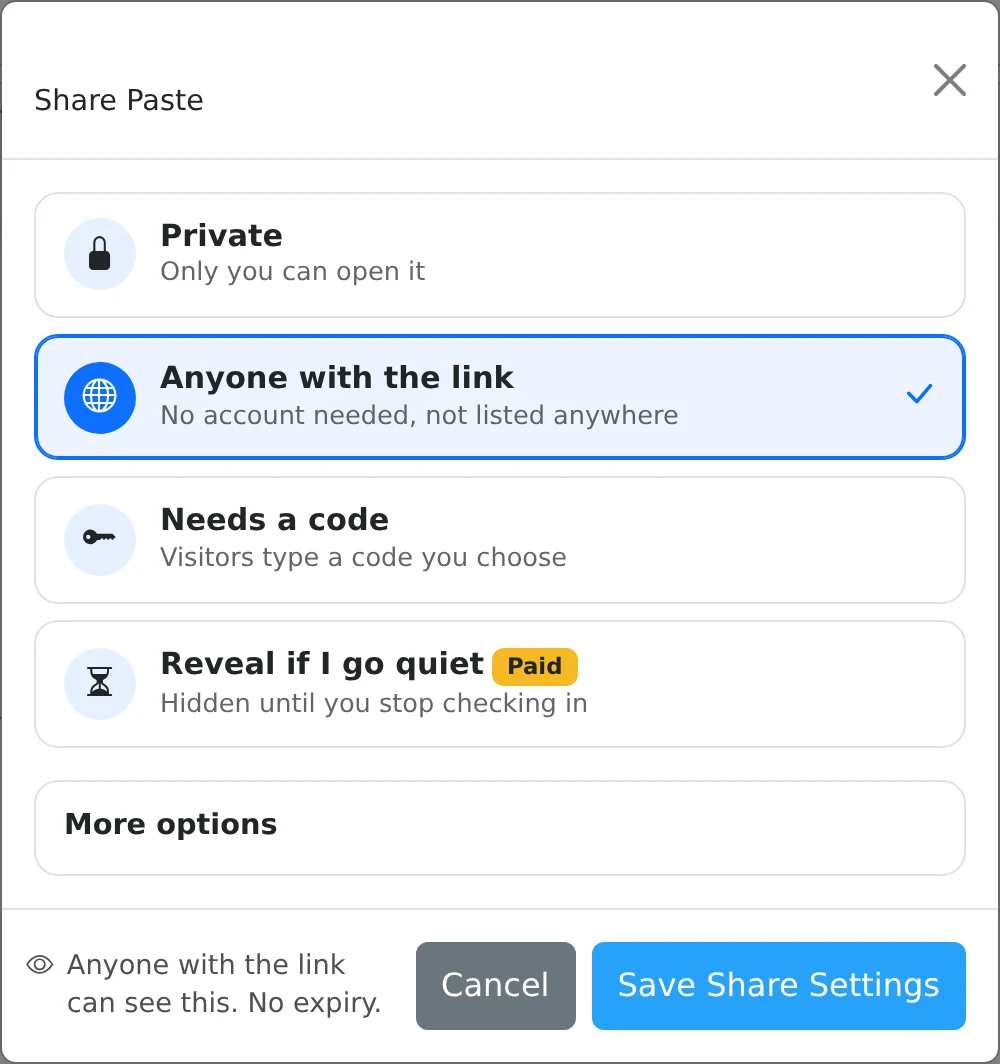
- Open Share on content you want to make public.
- Choose Anyone with the link and expand More options.
- Enable Discoverable, select a category when offered, and add relevant tags.
- Save the settings and use Explore to browse public content by the available filters.
Discovery is an explicit choice
A normal unlisted share can be opened by anyone holding its link, but is not automatically listed for public browsing. Discoverable signals that you want eligible content to be included in public discovery, including the sitemap.
Use this for examples, tutorials, or resources intended for a wider audience. Avoid enabling it on material that is only meant for a particular recipient. Search-engine inclusion and timing are not guaranteed by placing a URL in a sitemap.
Tags and categories help readers find a topic
A category gives the paste a broad home, while tags describe narrower subjects. Enter tags in the sharing dialog and use suggestions when they fit. The interface shows how many tags can be attached.
Readers can follow tags from public pages into Explore. Use precise terms that match the content rather than unrelated popular words. Discovery does not override access rules, so time-limited or otherwise restricted material may not remain available to every visitor.
Things to know
- Give public content a helpful title and a short introduction.
- Turning discovery off does not recall a link already shared elsewhere or instantly remove a search engine’s cached result.