What you get
You control whether an item stays in your account or can be opened by people with its link.
How to use it
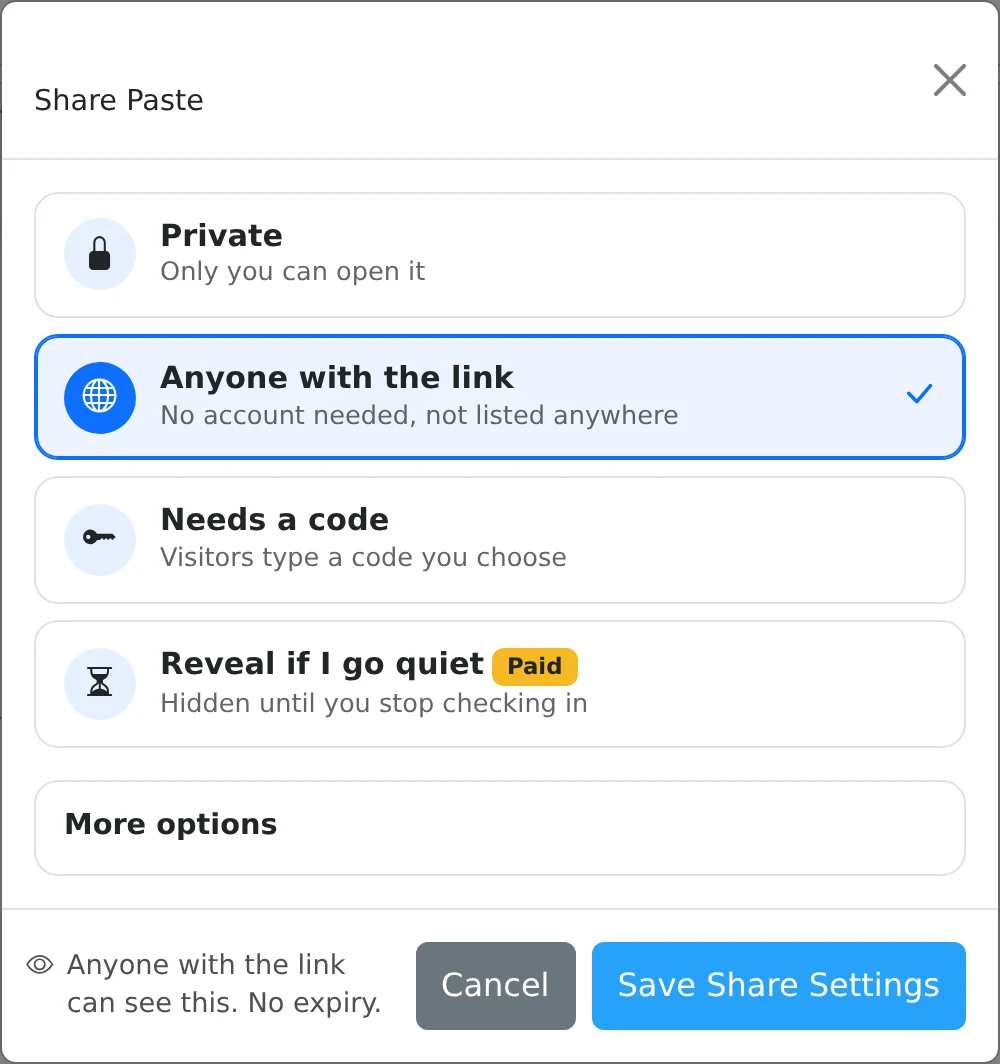
- Save an item in My pastes, then select its Share button.
- Choose Private to keep it in your account, Anyone with the link for a direct share, or Needs a code for a code prompt.
- Open More options to set a deadline, choose a custom link, or opt into discovery.
- Read the summary at the bottom and select Save Share Settings. Copy the resulting link if the item is shared.
Private and unlisted mean different things
Private items have no active public share. Anyone with the link creates an unlisted share by default: a recipient does not need an account, but the item is not automatically added to Explore.
An unlisted link is still a link someone can forward. Choose Needs a code when you want a separate access check, and choose optional browser encryption when the paste body should require a decryption key.
Make an existing share private again
Open Share, select Private, and save. This disables the public share while retaining the item in your own dashboard. Use Delete only when you mean to remove the saved item itself.
Discoverable is a separate option under More options. Enable it only for material intended for public discovery. Disabling sharing cannot retrieve text, screenshots, or downloaded files that someone already kept.
Things to know
- Check the footer summary before saving; it describes the selected audience and availability.
- After changing access rules, test an ordinary share in a separate browser session. Do not test a burn-after-read link unless you intend to consume it.