What you get
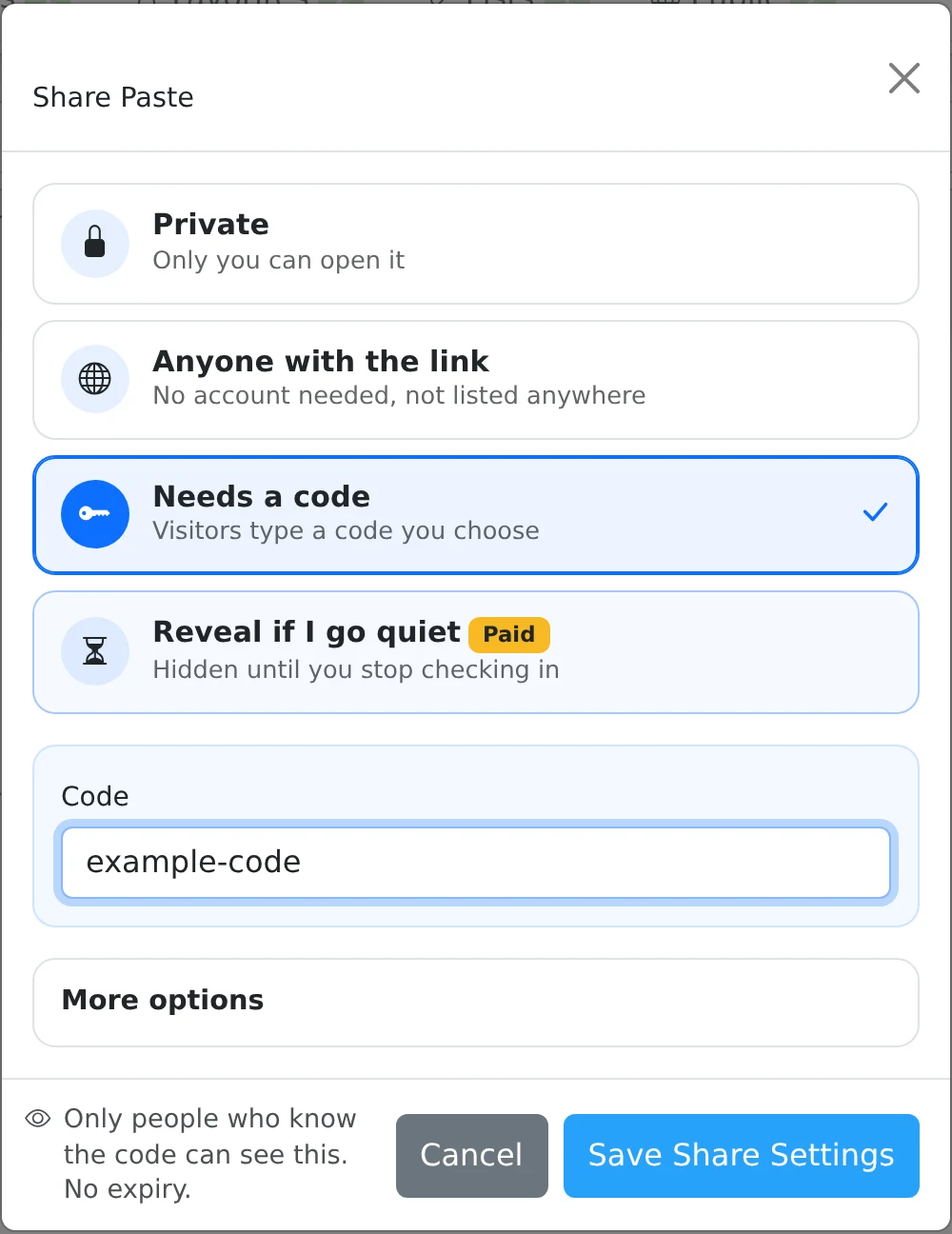
Recipients must supply the chosen code before the service displays the content.
How to use it
- Open the item’s Share settings and select Needs a code.
- Enter the code you want recipients to use.
- Optionally add an expiry under More options and, on a paid plan, a wrong-code attempt limit.
- Save the settings, copy the share link, and deliver the code separately when you want it to remain a separate check.
Give the link and code to the intended reader
A code is useful for a small group that needs the same information, such as participants receiving meeting details. Anyone who obtains both the link and the code can pass the check, so choose how you distribute them accordingly.
Some generated links include the code in a query parameter. If you intend to send the code separately, remove the ?code= portion before distributing the link, and test the resulting link with the recipient workflow.
Optional protection against repeated guesses
Destroy after N wrong codes is a paid option. Once the configured number of failed code submissions is reached, the share is disabled. A successful code submission clears the failure counter. Re-saving the sharing settings also starts a new counter.
Despite the wording “destroy”, this option removes the public share rather than deleting your saved paste. The owner can manage the item from the dashboard. Access codes are a server-side access check; they are separate from browser encryption with a decryption key.
Things to know
- Use a code that is not obvious from the paste title or the message containing the link.
- A very low wrong-code limit can disable a share after an ordinary typo.