What you get
Your shared paste becomes a formatted document that readers can open with a normal browser.
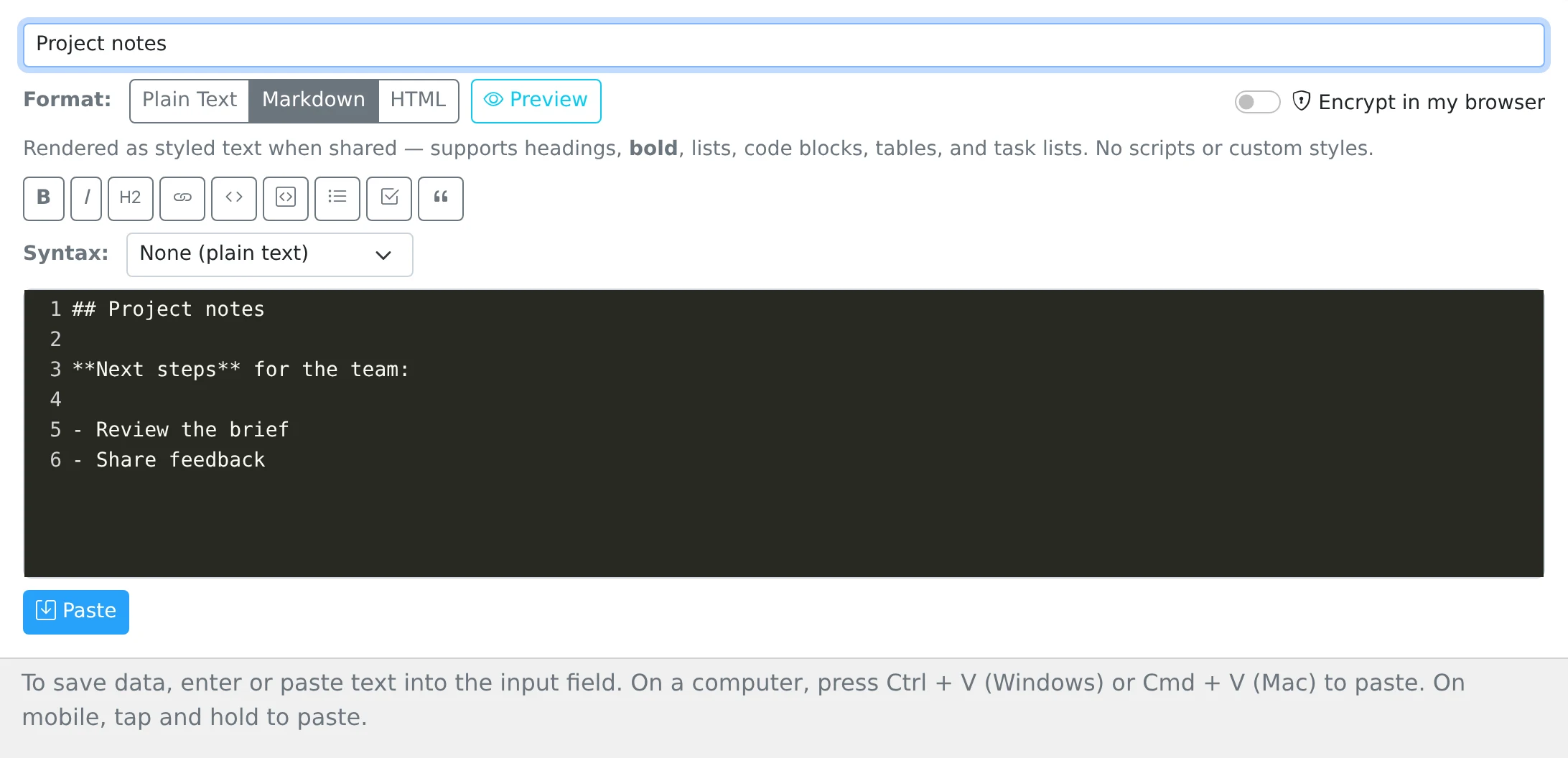
How to use it
- Open the Text tab in My pastes and give your document a title.
- Select Markdown or HTML from the Format options.
- Write your content. In Markdown mode, use the formatting toolbar for headings, emphasis, links, lists, and code.
- Select Preview to check the rendered result, then save and choose the sharing settings you need.
Choose the format for the job
Markdown is useful for a project handoff, a checklist, or a short guide. Use headings to divide the page, links to point to resources, and fenced code blocks for examples. The preview lets you review formatting before you send the link.
HTML mode is useful when you already have a fragment containing headings, paragraphs, images, or a table. The shared page renders supported HTML rather than showing every tag as source text. To share HTML code for someone to inspect, use Plain text and choose HTML as the syntax language instead.
What the renderer keeps
Formatting is sanitized before display. Scripts, embedded iframes, and custom inline styles are not a way to add application behavior to a paste. Preview the content that matters, especially when copying HTML from another editor.
Browser-encrypted pastes do not use the normal Markdown or HTML rendering path. Choose an ordinary formatted paste when layout matters, or an encrypted plain-text body when keeping the body unreadable without a key matters.
Things to know
- Preview tables and code blocks before sharing a long document.
- Keep one clear heading at the start so the reader immediately knows what the page contains.