What you get
You get one saved list and one share link for the whole collection, with link previews where available.
How to use it
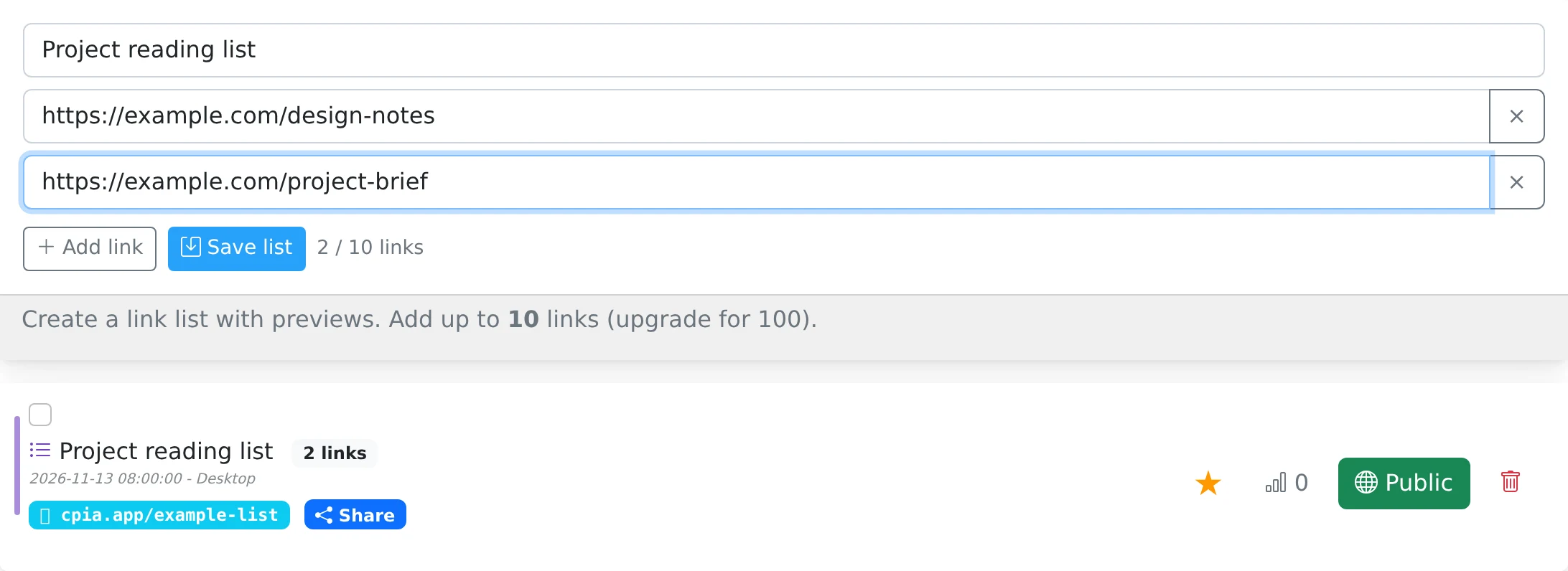
- Open the Lists tab in My pastes.
- Give the collection a title that explains its purpose.
- Add the website addresses you want to include and review the entries.
- Save the list, then use its Share control to make it available to your audience.
A useful starting point for a group
A link collection works well for course materials, references for a design project, or resources for an event. Instead of sending several messages, send one page containing the links in the collection.
The list needs a title and at least one valid link. The service attempts to fetch page metadata for previews, such as the title or image. A website may not supply usable preview data, so review the actual addresses as well as their appearance.
What a collection stores
The collection stores links and their preview information; it is not an offline archive of the linked websites. Those external pages may change, move, require a login, or become unavailable.
The list itself follows your sharing rules. Keeping it private means only you can open it in your account; sharing it creates a browser page for recipients. A limit on your collection does not control access to the original external websites once someone has their URLs.
Things to know
- Use a short, descriptive title such as “Workshop preparation” or “Project references”.
- For a permanent personal landing page with editable buttons and social links, use My links instead.