What you get
Recipients have a sealed link that can reveal the content after your check-in deadline passes.
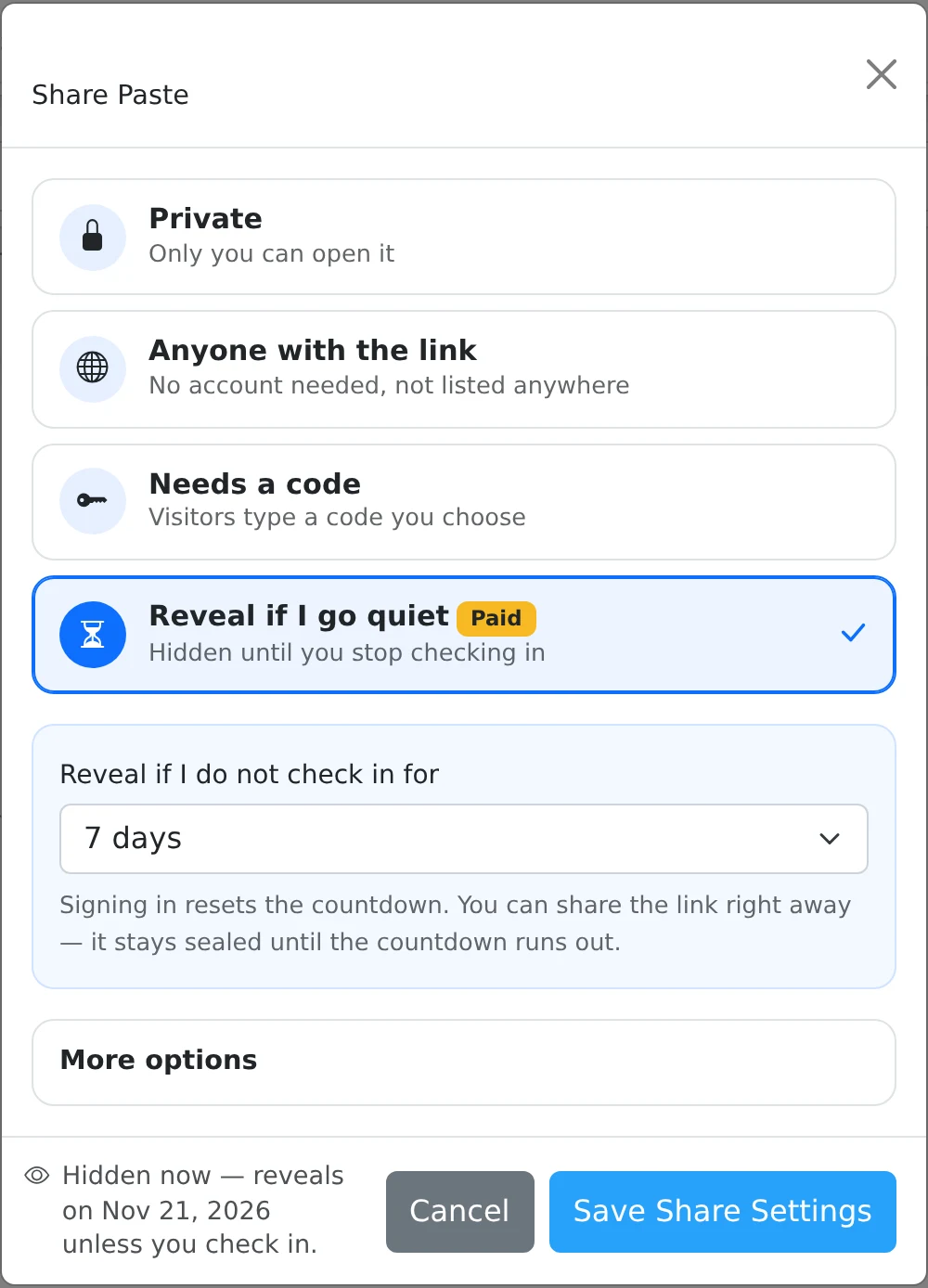
How to use it
- Create the paste, open Share, and choose Reveal if I go quiet.
- Choose the period: 1, 7, 14, 30, or 90 days.
- Save the settings and give the resulting link to the intended recipients.
- Use the dashboard’s check-in control or sign in again before the deadline to move it forward. Review the next reveal time shown in the dashboard.
A rolling deadline
The countdown begins when the share is saved. While the deadline is in the future, the public link shows a sealed page with the reveal time. Checking in updates the check-in time for your armed shares and pushes their deadlines forward.
For example, a seven-day period stays sealed while you check in within each seven-day window. Simply leaving a browser tab open should not be treated as a deliberate check-in; use the provided control and check the displayed deadline.
What happens after the deadline
Once the period has elapsed, a public request can turn the sealed share into a normal public share and display its content, subject to any other rules. The application checks this on access; it does not need a recipient to receive a scheduled email.
A later check-in does not automatically reseal a share that has already been revealed. Return to Share and explicitly change the settings if you need to make it private or arm a new period. Avoid combining deadlines in a way that makes the paste expire before it can reveal.
Things to know
- Use a harmless sample to understand the countdown before relying on the feature.
- For a fixed opening date, use Schedule a start time instead of an inactivity rule.