What you get
You can connect an authorized integration to your account instead of entering every paste manually.
How to use it
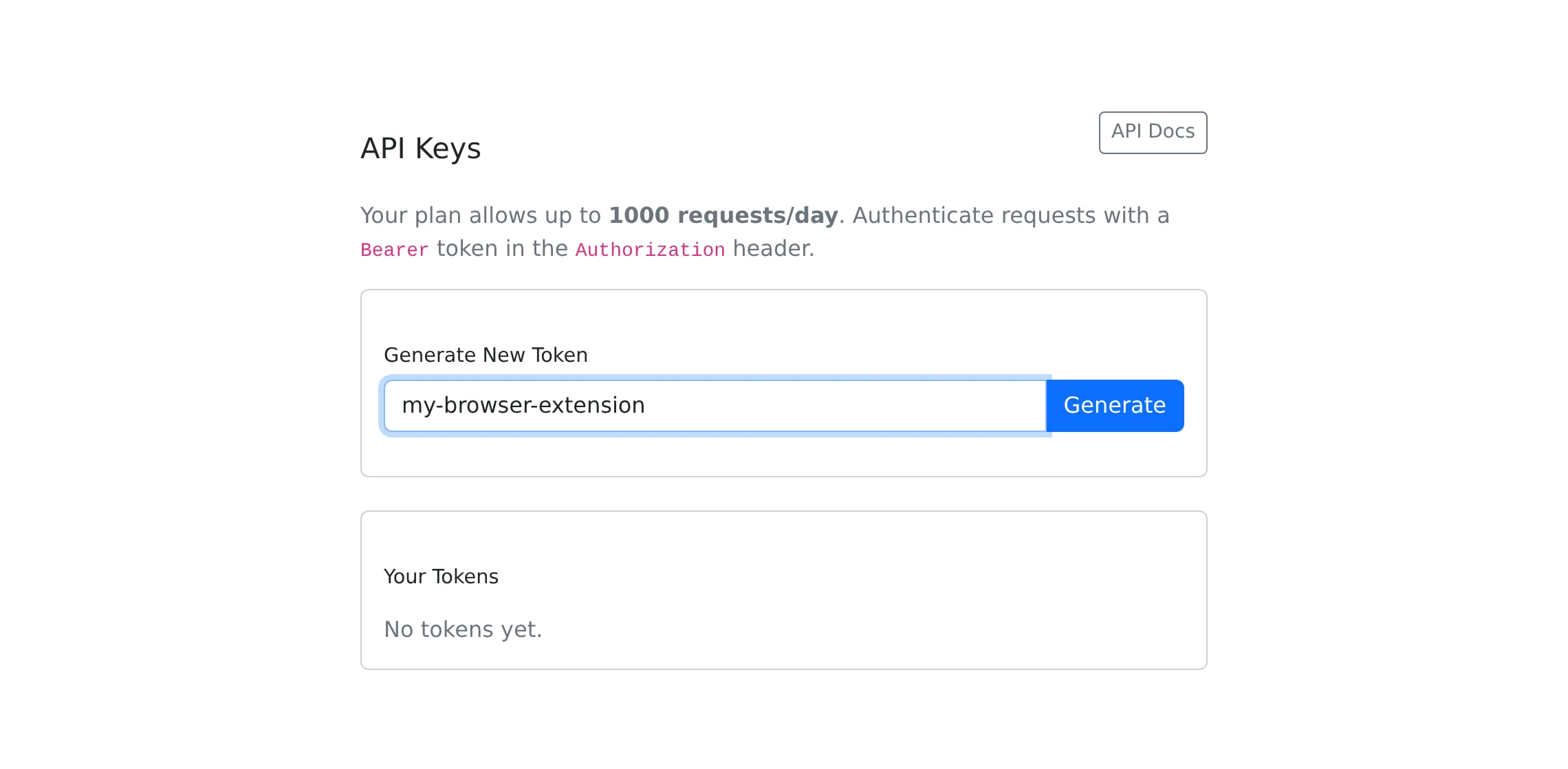
- Open API Keys and check that your current plan includes API access.
- Give the token a recognizable name, generate it, and copy it immediately; the full token is shown only once.
- For your own integration, follow API Docs and send the token as a Bearer token in the Authorization header.
- If you have the Copypastia browser extension installed, enter the token in its settings, test the connection, and choose the default visibility.
- Revoke a token from API Keys when the integration is no longer needed.
Automate a defined workflow
The versioned API supports listing, creating, reading, updating, deleting, and sharing pastes, along with category and tag lookup. It is useful for sending an output snippet from a tool or maintaining a paste from a script.
Follow the live API documentation for request bodies, supported options, and returned identifiers. A web-interface feature is not automatically available with the same parameters through the API. Plan permissions, paste limits, token expiry, and rate limits still apply.
Capture information while browsing
The extension contains a quick-paste popup, recent items, a language selector, and private/public defaults. Its context menu can save selected text or the current page URL. The default keyboard shortcut opens the popup with Alt+Shift+C where supported.
The extension is an API client and requires the same API entitlement as other integrations. Use an available installation package or distribution instructions; this guide does not imply that a browser-store listing is available in every browser.
A separate command-line guest flow
The /p endpoint is a separate terminal-oriented paste entry point. It accepts guest text up to 512 KB and applies its own limit of ten submissions per IP address per hour, with a 30-day share window. Visit /p for the command examples. These limits differ from the homepage’s 24-hour guest-paste flow.
Things to know
- Treat a token as an account credential and avoid placing it in a public paste or screenshot.
- Name tokens after the integration so you can revoke the right one later.